What payment methods does Flex accept for payments?
Flex accepts most US-based debit and credit cards. Please note that Flex does not accept prepaid debit cards, Capital One debit cards, or Apple credit cards for payments.
Please note, if you are using Flex to split an auto loan or mortgage, only debit card payments can be accepted.
Heads up: Paying with a credit card could result in cash advance fees charged by your card issuer. Learn more about cash advance fees here.
How do I manage my payment method?
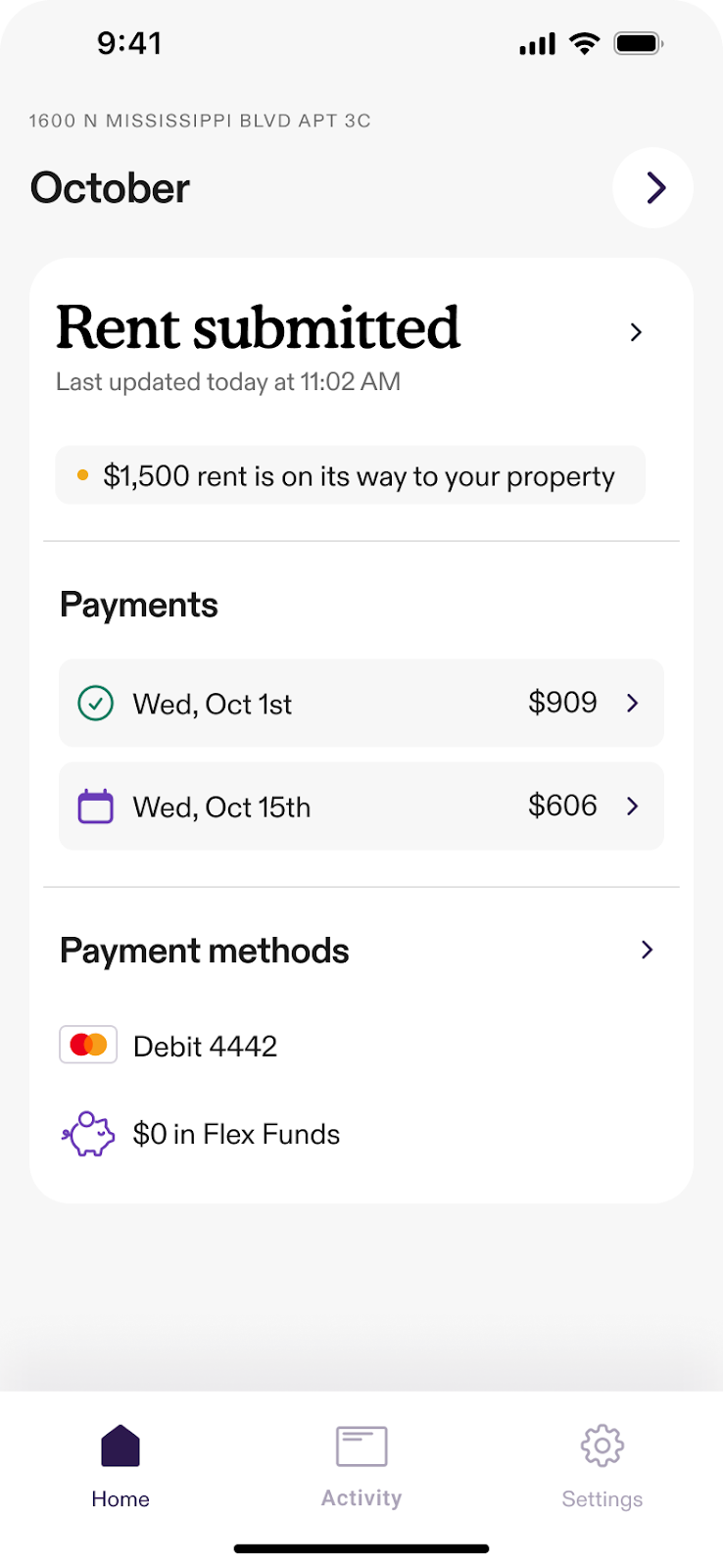
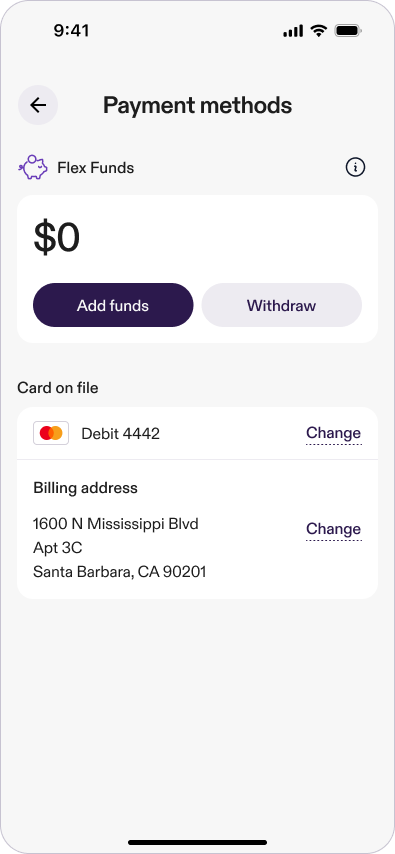
You can update your stored payment methods or add a backup card directly in the app from your Home screen or Settings.
Just follow these steps:
From the Home screen
- Tap Payment methods.
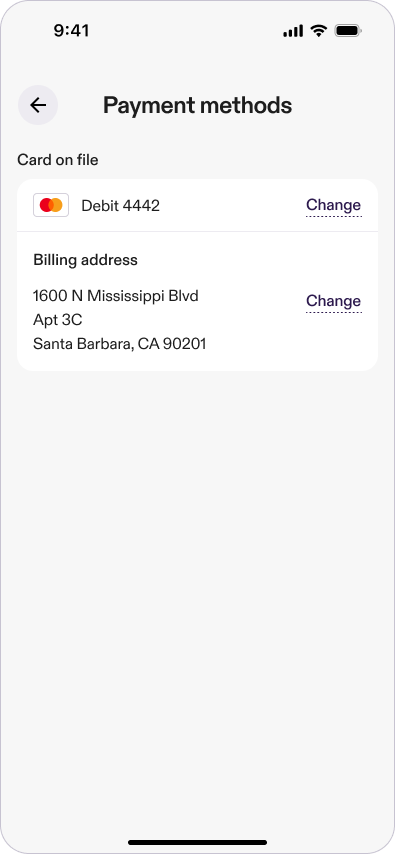
- Tap Change next to your card on file.
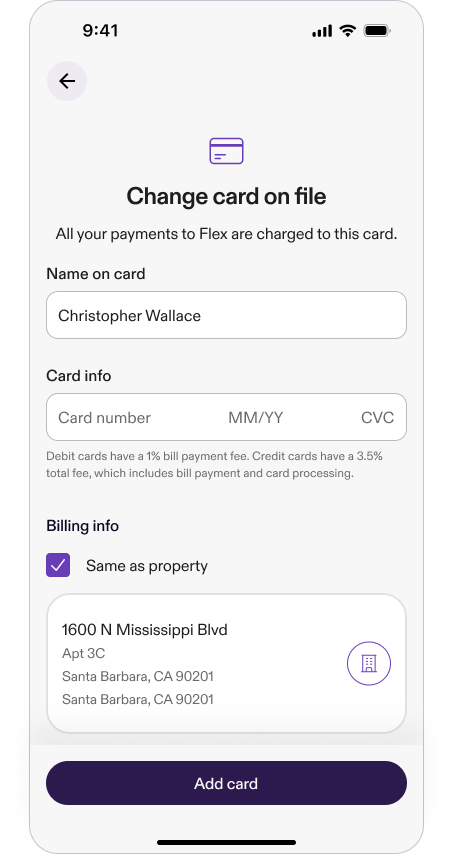
- Enter your new card details.
- Tap Add card.
- You’ll get a confirmation message when your card has been updated!
From Settings
- Go to Settings > Payment methods.
- Tap Change next to your card on file.
- Enter your new card details.
- Tap Add card.
- You’ll get a confirmation message when your card has been updated!
If there’s an issue, you’ll see a message in the app explaining why it didn’t work.
How can I add a second payment method?
You can add an additional stored card or set a backup card in the Flex app to help prevent missed payments. If your default card fails—for example, due to insufficient funds or an expired card—Flex may use your selected backup card to complete your payment. This ensures your payment goes through smoothly and avoids interruptions.
To add a backup payment method in the Flex app, follow these steps:
- On your home screen, look under Payment methods.
- Tap Add backup card.
- Enter card details and tap Add Card.
What happens if my payment card is declined?
If your card is declined, you will get a notification by email and in the app. You can update your payment method, contact your bank, or retry the payment in the Flex app.
Important tip: Make sure your 1st payment is completed by the cutoff date shown in your app so Flex can submit your rent on time.
Learn how to resolve a declined 1st payment
Is my payment information secure?
Yes, your payment information is secure! We prioritize the safety of your data, and all card transactions are protected with SSL encryption to ensure the integrity of your personal information and payment processing.
Common questions
How do I manage my payment method on file?
To update your card:
1. From the Home screen, tap Payment methods.
2. Tap Change next to your card on file.
3. Enter your new card details and tap Add card.
Or go to Settings > Payment methods to make the same change.